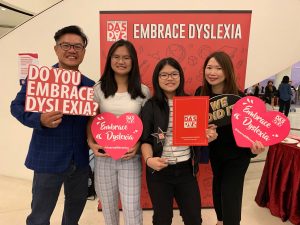
In this article, we first clarify how the Orton-Gillingham (OG) approach provides the structured, explicit literacy instruction that many learners with dyslexia rely on, then show how Universal Design for Learning (UDL) adds flexible pathways for access, engagement, and expression. We then explore how carefully chosen technology tools can support each UDL principle without diluting OG’s integrity, illustrating this with concrete classroom examples, including a full magic-e lesson sequence. Finally, we highlight how an OG+UDL+technology approach also supports executive functioning, and we close with practical key takeaways that educational therapists can apply immediately in their own sessions.
The Tension We Know Well
As educational therapists who work with students with dyslexia or other neurodiverse learning profiles, we have likely felt the tension before. On one hand, we know that structured literacy, based on the Orton-Gillingham (OG) approach, works. The OG approach is explicit, sequential, cumulative and grounded in decades of research (International Dyslexia Association, 2019). On the other hand, we are well aware that our learners are not identical. For example, in the same class, we may have a student who struggles with regulating their attention, another who simply shuts off during dictation, and a student who excels but needs more challenge.
Therefore, more often than not, we find ourselves wondering how we can preserve the structure required in our teaching whilst maintaining flexibility at the same time. This is where Universal Design for Learning (UDL) enters the conversation, as a complement to OG. And when used thoughtfully, technology can serve as the bridge between structured literacy and accessible learning environments.
OG Gives Structure, UDL Gives Access
As mentioned, the OG approach provides what our students with dyslexia need most, predictable routines, explicit instruction, cumulative review, diagnostic-prescriptive adjustments and a clear scope and sequence. OG reduces cognitive overload by ensuring that students are not guessing, as they are taught systematically to decode or segment words using the rules and concepts they have learned.
UDL then adds another layer to this structure. UDL is built on the idea that learners should have meaningful control over how they engage with their learning. The framework encourages educators to set clear goals, anticipate potential barriers in the learning environment, provide flexible pathways for students to access, and demonstrate understanding. UDL believes that because each person’s brain develops unique neural pathways, no two learners would process information in exactly the same way. It therefore acknowledges this natural variability and designs instructions that support it, rather than working against it. (CAST, 2024)
For educational therapists, UDL encourages us to continually ask ourselves: How do we reduce as many barriers as possible, so that our students can access the same literacy goal in various ways?
UDL is built around three main principles:
1. Multiple Means of Engagement: Sustaining motivation and emotional regulation
Students vary in what motivates them and how they maintain attention. Providing options for engagement helps sustain focus and supports emotional regulation, particularly for learners with attention or executive functioning challenges.
2. Multiple Means of Representation: Presenting information in different formats
Students may not process information in the same way. Multiple means of representation ensures that the same concept can be accessed through different formats, helping learners who may struggle with difficulties in reading, language processing, or working memory.
3. Multiple Means of Action and Expression: Allowing varied ways for students to demonstrate learning
UDL recognizes that students may understand a concept but struggle to express that understanding through traditional formats such as handwriting. Providing different response options allows students to demonstrate mastery without unrelated barriers.
Where Technology Actually Helps (Without Taking Over)
Technology can meaningfully support OG instruction within a UDL framework. The focus should be on integrating technology into lessons without replacing structured literacy instruction. When technology is embedded intentionally and seamlessly, it helps reduce barriers and increase engagement. However, the goal is not to use the fanciest tool available, but to be clear about the purpose behind the technology and how it addresses a specific learner’s needs.
I. Supporting Attention and Regulation (UDL: Engagement)
As students increasingly rely on technology in their daily lives to interact and communicate, thoughtfully integrating tech into OG lessons can help sustain attention while supporting UDL principles. Technology becomes more than a novelty as it acts as a scaffold that reduces barriers to engagement, allowing students to focus on mastering skills rather than getting frustrated or distracted. Many students show an immediate lift in mood and motivation the moment iPads or other devices are introduced, which supports sustained attention, emotional regulation, and overall participation. By blending structured OG routines with engaging tech tools, educational therapists can maintain rigorous instruction while meeting learners where they are.
Some tools that support these are:
a) Attention: Visual Timers & Focus Tools
- Time Timer app: Supports students who struggle with task initiation or transitions
- Forest app: Gamifies sustained attention in short bursts
- Class Dojo: Can support self-monitoring or transitions
- Classroom Screen: Provides visual timers, noise-level monitors and task cues
These tools help externalise and make concepts like ‘10 more minutes’ visible.
b) Motivation
Using games, quizzes and other interactive activities help sustain students’ engagement and motivation in their learning.
c) Regulation & Sensory Support
- GoNoodle: Provides short movement and mindfulness videos that help students reset their attention and regulate energy levels between learning tasks
- Headspace: Offers guided breathing and mindfulness exercises that support emotional regulation and help students refocus during moments of stress or cognitive overload
Short movements or breathing resets between OG segments can improve task persistence, reduce shutdown behaviours and support emotional regulation.
II. Increasing Access to Instruction (UDL: Representation)
With the advancement of technology, the possibility of increasing access to instruction helps students to remove barriers and better promote active participation, processing of information and a demonstration of their knowledge. As students learn differently through different formats, there should also be a consideration towards how information and content is being presented in order to increase accessibility for students. Instead of selecting just one medium to present the information, teachers could provide different modes of instruction for students to receive and process the content. This will be helpful for students who may struggle with reading long texts, processing spoken information and understanding abstract concepts. By offering multiple modes of instruction, students will then have more than one pathway to comprehend the lesson or information provided. These may come in the form of representing information in different ways.
For example, written texts can be converted into audio and it allows the student to access information through hearing while reading a passage. Other students may also require text support or translation (for language learners). This information can then be presented in the form of video captions or the use of translation tools. For visual learners, graphic organizers and mindmaps are a good form of representation as it helps to simplify complex content into visual images and shows the relationship between ideas.
Some tools that support these are:
a) Text to speech tools
- NaturalReader: Converts digital text into spoken audio, allowing students to listen to passages after decoding
- Google Read Aloud Chrome extension: Reads webpages or digital text aloud with synchronized highlighting, helping students follow along visually while hearing fluent reading
- Microsoft Immersive Reader in Microsoft Edge: Provides text-to-speech, line focus, syllable breakdown, and adjustable reading speed, supporting decoding, fluency, and comprehension for struggling readers
b) Captioning and translation tools
- Youtube captions: Displays spoken language as on-screen text during videos, supporting students who benefit from both auditory and visual input while learning new content
- Google Translate: Offers quick translation and read-aloud features for words or sentences, helping multilingual learners access vocabulary and meaning more easily
c) Visual organisers
- Canva: Create visual mind maps, concept charts, and graphic organisers that help structure ideas and summarise key information
- Mindmeister: Organise main ideas and supporting details visually, making complex information easier to understand and recall
III. Expanding Ways Students Show Mastery (UDL: Action & Expression)
Besides reducing barriers when it comes to the presentation of information, it is also important to focus on ways a student may respond during learning and how barriers can be further broken down as we find other methods to help them carry out a task. Each student has their own way of performing learning activities and these may differ depending on their abilities to organise, plan, type, write and speak. Therefore, it is essential to look into different ways as to how a lesson can allow students to perform tasks through different modes.
While it is important to ensure that a task can be carried out effectively through different modes to suit the abilities of the students, it is also essential that they are able to demonstrate their learning at the end of each lesson. However, it is crucial to note that each student may express his or her understanding of the content differently. Through UDL, the teacher will allow students to communicate their learning through various methods. Therefore, this places the focus on the understanding of concepts rather than relying on one mode for all. Students may choose to demonstrate their learning through writing, speaking, visual representation, or digital formats.
Some tools that support these are:
a) For Reading and Spelling Tasks
b) For Reading Comprehension and Writing Tasks
- MindMeister or Bubbl.us (Mind Mapping Tools): Helps students organise ideas visually before writing, supporting planning and sequencing
- Storyboard That or Canva (Digital Storyboarding Tools): Allows students to express comprehension through images, text, and sequencing, catering to visual and creative learners
- Quizlet or Kahoot: Students can demonstrate understanding through interactive quizzes, flashcards, or gamified responses
c) For Collaborative Class Discussions and Brainstorming
- Canva Whiteboard, FigJam, Kami: Allows for teacher-student collaboration and interactions
- Padlet: Contribute ideas and points for a given topic, record video responses
Supporting Executive Functioning Through UDL + OG
Beyond literacy skills, many students with Dyslexia or other neurodiverse learning profiles experience challenges with Executive functioning (EF). Research suggests that they may demonstrate difficulties in executive functioning processes including weakness in working memory, planning, organisation, and monitoring their own learning progress (Smith-Spark et al., 2016). The structured nature of the Orton-Gillingham approach already supports executive functioning in several important ways. OG lessons follow predictable routines, clear instructional sequences, and cumulative review, which help reduce the cognitive load placed on working memory and allow students to focus effectively on the learning task.
In addition, UDL complements OG by offering various means of expression and engagement. This reduces students’ cognitive barriers and enables them to manage their tasks more independently.
Some examples include:
- Task Initiation & Planning: Visual checklists and step-by-step guides help students organise ideas and start tasks confidently, reinforced by OG’s predictable lesson routines.
- Working Memory: Multisensory tools and cumulative review in OG, combined with UDL strategies like chunking and visual cues, help students process and retain information without overload.
- Time Management & Transitions: Visual schedules, timers, and clear cues support efficient movement between activities, strengthened by OG’s structured sequences.
- Self-Monitoring & Reflection: Checklists, prompts, and digital tools encourage learners to track progress, while OG’s explicit instruction helps them identify errors and reflect systematically.
What This May Look Like in Real Classrooms
As an example, let’s consider a DAS lesson focused on learning the magic-e vowels. After the concept has been introduced through the usual structured and multisensory procedures, tech tools can be used to expand how students access practice and demonstrate their understanding of magic-e.
Using the same controlled word list, students can choose to:
- build words digitally using drag-and-drop letter tiles on Toy Theater before decoding them
- record themselves decoding the word list aloud using a voice recording tool like Reverb to monitor fluency
- annotate the words on Kami by marking the vowel and magic-e using colourful drawing tools, fonts or highlighters
All students are therefore working with the same phonics target, the same word list/text and the same instructional sequence. The technology simply expands the ways students can interact with the content, while aligning with UDL’s goal of reducing barriers and supporting learner variability.
Students may then tackle a reading comprehension passage, which integrates magic-e words during the second hour of the lesson. Along the same vein, tech tools can support UDL by helping students access the same passage in multiple ways.
After decoding the passage individually/together, students may choose to:
- reread the passage independently and create a word cloud of topic-specific or challenging vocabulary on Canva Whiteboard
- listen to the passage again using text-to-speech tools like Google Read Aloud Chrome extension or Microsoft Immersive Reader
- record themselves reading aloud using voice typing on Google Docs to check if it types the words correctly based on their pronunciation
The key is that students still decode the text first to ensure that they are applying the phonics patterns they have learnt. Technology supports rereading and fluency practice, not bypassing decoding completely thus abiding by the OG principles. Simultaneously, in line with UDL principles, these tech tools provide multiple ways for students to access and revisit the same text, allowing learners who struggle with working memory or fluency to reread and practice independently.
Structured literacy and UDL may appear to be opposing approaches, since one is focused on structure, while the other on flexibility. In practice, however, they can work together effectively with technology connecting the two perspectives by expanding the ways students access and engage with the same learning goals. When the structure of OG remains intact and UDL principles guide how learning is accessed, technology becomes not a distraction but a bridge.
Key Takeaways for Educational Therapists:
- OG provides the structure. Structured literacy ensures explicit, systematic instruction that learners with dyslexia rely on.
- UDL expands access. By anticipating learner variability, educators can provide multiple ways for students to access information, demonstrate understanding, and stay engaged.
- Technology should support, not replace, instruction. Digital tools can help reduce barriers, but explicit teaching and corrective feedback remain central to OG practice.
- The learning goal stays the same. Whether students build words with tiles, type responses, or record themselves reading, they are still working toward the same phonics objective.
- Design first, differentiate second. UDL encourages educators to build flexible pathways into lessons from the start, while differentiation allows therapists to respond to individual learner needs.
References
CAST. (2024). UDL guidelines 3.0 graphic organizer. https://udlguidelines.cast.org/static/udlg3-graphicorganizer-digital-numbers-a11y.pdf
International Dyslexia Association. (2019). Structured literacy: Effective instruction for students with dyslexia and related reading difficulties. https://dyslexiaida.org
Smith-Spark, J. H., et al. (2016). Executive functions in adults with developmental dyslexia. Research in Developmental Disabilities. https://doi.org/10.1016/j.ridd.2016.03.001
Written By: Kalphna, Hakimah, Praba and Stephanie